

GTA 6 Buck Me unlocks the BuckMe bank app near its end. Follow the Set Up Bank Account marker to the Fleeca in Key Lento and talk to the teller, then the manager. Back home, open BuckMe, take the $100 it adds to checking and move it into Family Savings with Buck Yourself. Later, deposit cash at ATMs.
The BuckMe app, with a Checking Account and a Family Savings account, arrives near the end of the mission at the Open BuckMe step, after the bank meeting and the scene at home. The app starts with $100 in checking, and your BuckMe balance shows on screen from then on.
Carried cash, the floorboard stash and BuckMe checking are wiped when Chapter 1 ends. Only Family Savings carries over, up to $5,000.
Mission info
- Mission
- 12 of 93, Chapter 1
- Type
- Main story mission
- Character
- Jason, with Lucia along but not playable
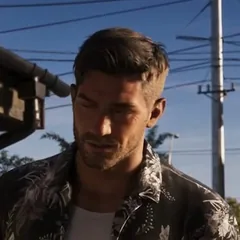 Jason Duval
- How it starts
- Lucia’s call, then the Set Up Bank Account marker
- Unlocks after
- Coming Home
- Location
- Fleeca branch with a green awning in Key Lento, then Jason’s house
- Length
- About 7 to 8 minutes
- Reward
- BuckMe app with Checking and Family Savings, plus $100 to start
- Trophy
- None
- Required for 100%
- Yes
- Previous
- Coming Home
- Next
- Clean Up After Donnie if not done, then Down to Earth
- Characters in this mission
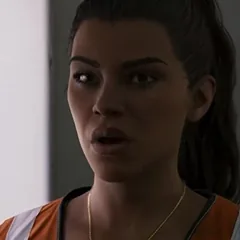 Lucia Caminos
Before You Start
- Finish Coming Home. Lucia calls after Coming Home because she needs an account for her community service payments. You can play Clean Up After Donnie first if you prefer.
- Bring cash only if you want to deposit. The mission only moves the $100 the app gives you. Cash you want in BuckMe goes in at an ATM afterwards.
Objectives at a Glance
Buck Me Walkthrough
Button prompts below follow your controller choice.
1Set Up Bank Account
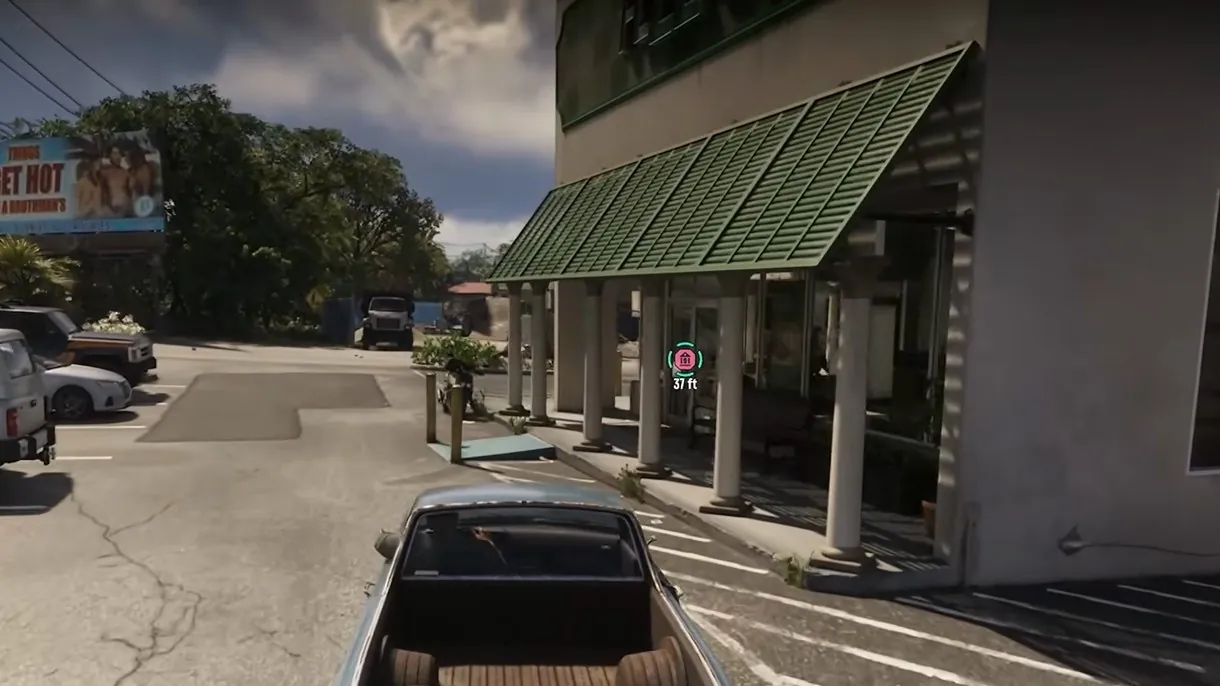
- Answer Lucia’s call, then follow the Set Up Bank Account marker to the Fleeca off the highway in Key Lento.
- Look for the branch with the green awning and walk in through the front doors.
- Jason texts Lucia that he has arrived, and she meets him inside.
2Speak to the teller
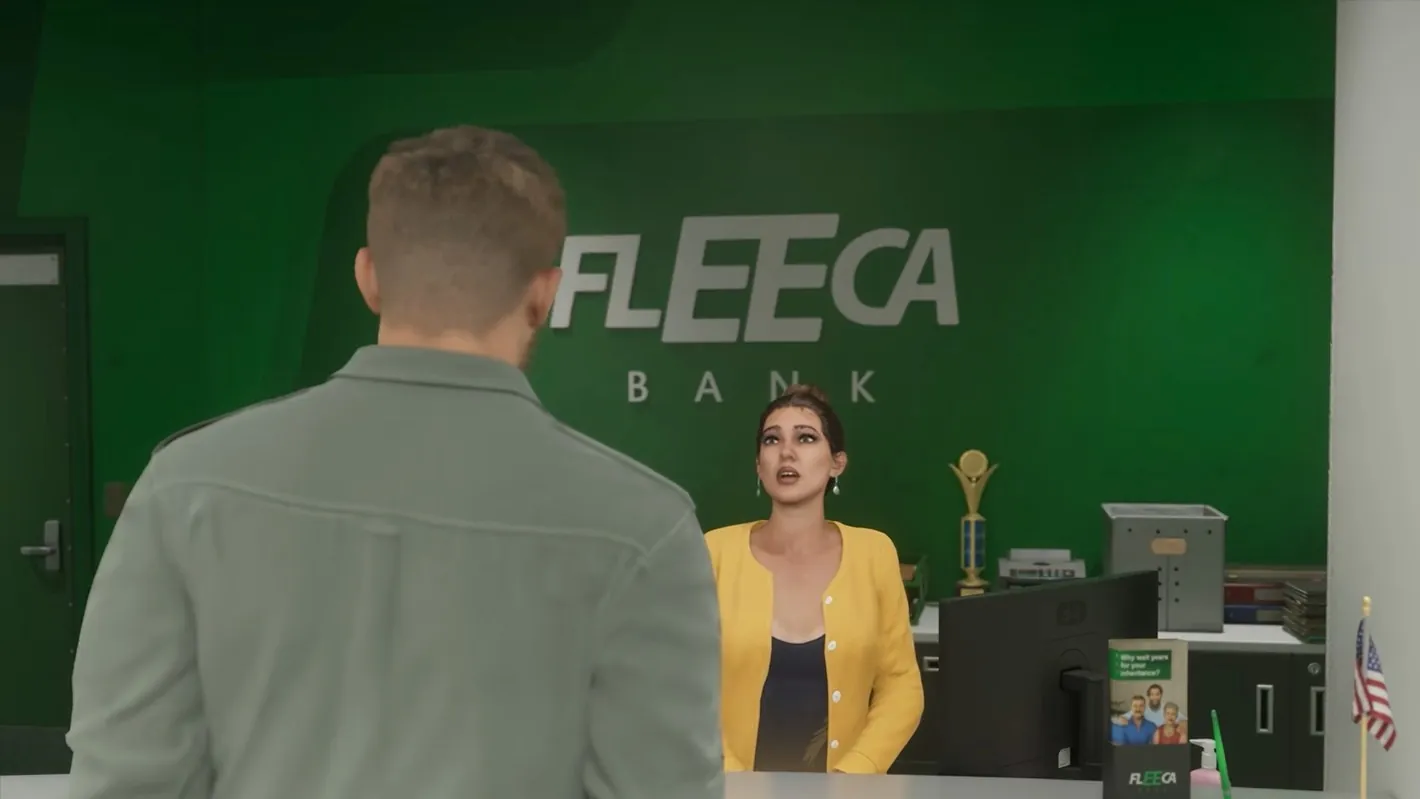
- Hold L2LT at the counter to talk to the teller.
- The teller sends Jason to the branch manager.
3Follow the manager
- Hold L2LT on the manager at his desk, then follow him to his office.
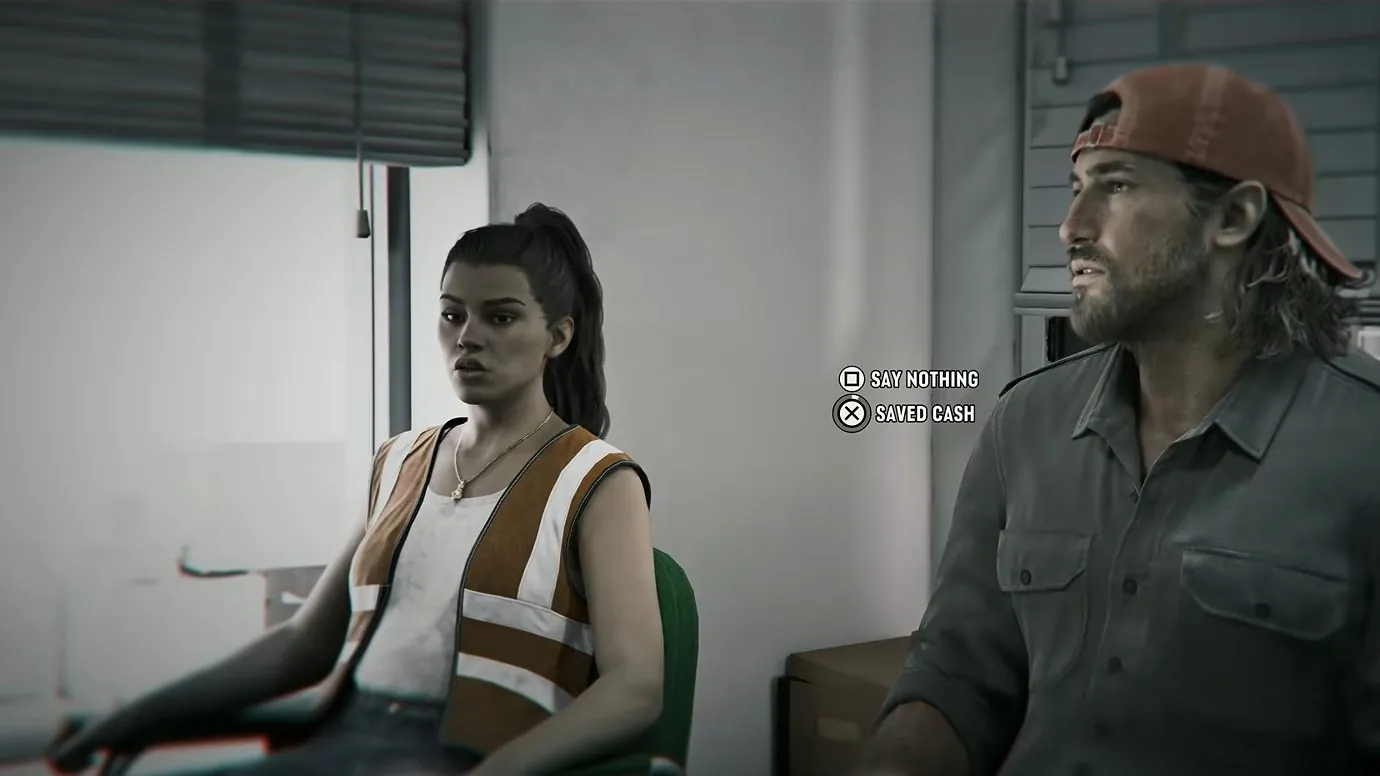
- When he asks about a deposit, choose □X Say Nothing or ×A Saved Cash.
- Let the meeting play out until the manager offers BuckMe accounts on your phones.
4Open BuckMe
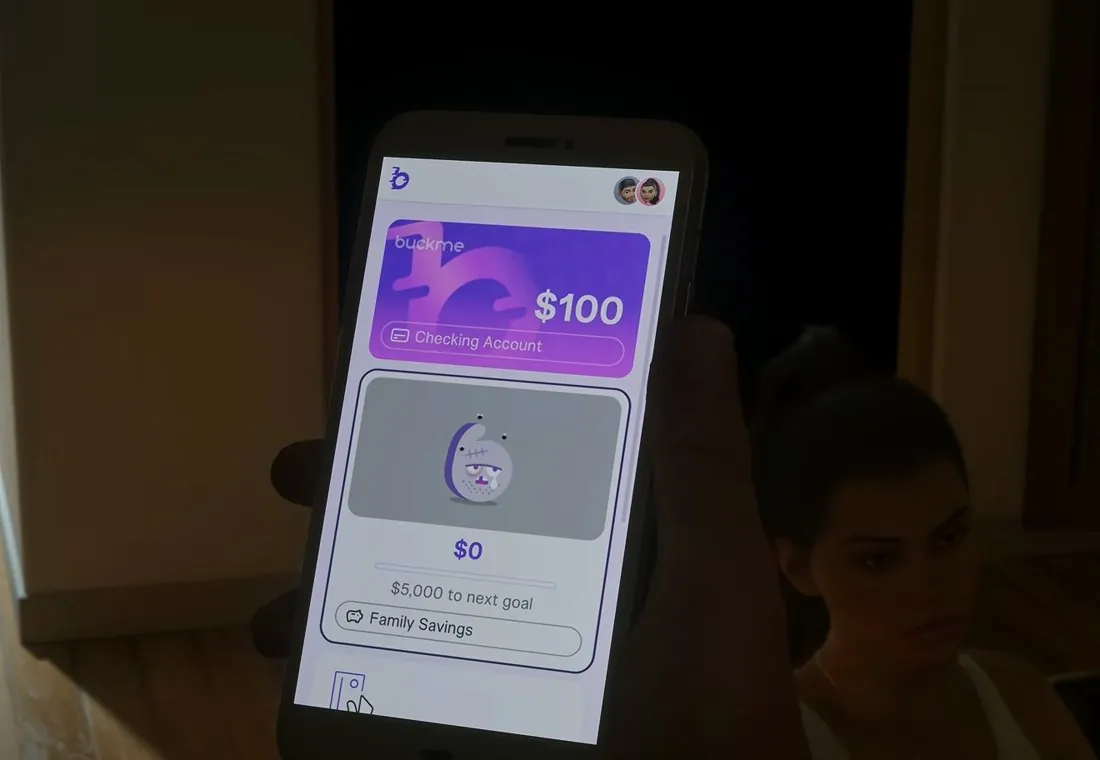
- After the scene at home, use the Open BuckMe prompt to bring up the app on Jason’s phone.
- Page through the intro screens, which explain the checking account and Family Savings.
- The app opens with $100 in the new checking account, separate from Jason’s cash.
5Move money into Family Savings account
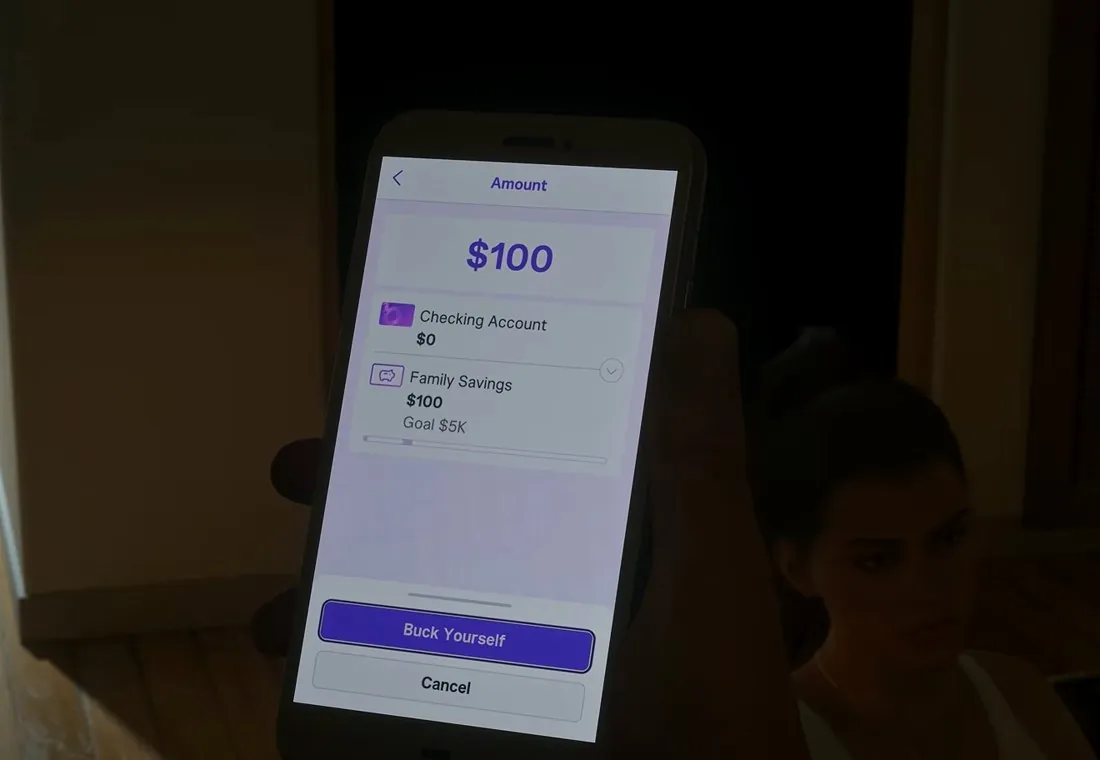
- Set the amount to $100 with Family Savings as the destination.
- Select Buck Yourself to make the transfer.
- Wait for Bucking Complete, and the mission ends once the scene at home finishes.
How BuckMe Works
Jason’s money sits in three places once Buck Me is done. Cash in his pocket and the floorboard stash at home are both shown on screen, and BuckMe adds a third line for the bank. BuckMe itself has two accounts.
Checking is the everyday account. Cash goes in at an ATM, where the Your Account screen offers Deposit, Withdraw and Transactions. To find one, open the map, go to the Personal list and pick Cash Deposits. The phone app can pay people, move money with Buck Yourself and show transactions, but it can’t take cash.
Checking has a balance limit. When it is full you can’t deposit or receive payments until there is space, and the limit grows as the story moves on.
Family Savings is filled from checking with Buck Yourself, in steps of at least $100. The app says deposits can only be accessed by named beneficiaries, so treat it as a one-way move. Interest depends on meeting savings goals and vests periodically. The first goal is $5,000, and the next one sits at $100,000.
At the end of Chapter 1, cash, the stash and checking are wiped and only Family Savings carries over, up to $5,000. At the end of Chapter 4, checking is frozen. Read how money works for the wider picture.
Want to skip ahead? Our Story Mode Modded Save adds a new Chapter 5 save at 98% story complete, with health, armor and skills maxed and all 1,609 collectibles unlocked. Your own saves stay.
Get the Modded SaveMistakes to Avoid
- Looking for a deposit button in the app. Cash only goes into BuckMe at an ATM.
- Moving money you still need into Family Savings. It can’t be withdrawn like checking.
- Keeping Chapter 1 money in cash, the stash or checking at the end of the chapter. Only Family Savings survives, up to $5,000, so top it up before Tourist Trap.
- Letting checking hit its limit. A full account blocks deposits and incoming payments.
Buck Me Controls (PS5 and Xbox)
Tips
Troubleshooting
Buck Me is not on the map?
Look for Set Up Bank Account. It appears after Coming Home, once Lucia calls about needing a bank account.
There is no deposit option in the BuckMe app?
The app moves money and pays people but does not take cash. Use an ATM, listed under Cash Deposits in the map’s Personal list.
I can’t deposit or receive money?
Checking has reached its limit. Spend some money or move it to Family Savings to make space, and the limit rises as the story continues.
Rewards
The BuckMe app with a Checking Account and a Family Savings account. It opens with $100 in checking, which the mission has you move into Family Savings. There is no cash payout. See how money works for what to do with your money next.
Lucia needs an account for her community service pay, but the Fleeca manager turns the couple down over their credit when they ask about a loan to buy the house from Brian. He offers BuckMe accounts on their phones instead, which does not go down well. Over pizza at home, Lucia suggests a joint savings account they can’t touch, and they put the first $100 toward a future together.
What Comes Next
Mission 13 · JasonClean Up After DonniePlay Clean Up After Donnie if you haven’t yet, then Down to Earth. Keep adding to Family Savings toward the $5,000 goal before the end of Chapter 1. The Chapter 1 page and the missions hub show the full order.Read the walkthroughGTA 6 Buck Me FAQ
Near the end of Buck Me, mission 12. After the bank meeting and the scene at home, the Open BuckMe step adds the app with $100 in checking.
Through Buck Me. The Fleeca manager won’t give the couple a regular account and sets them up with BuckMe on their phones instead.
Use an ATM and choose Deposit. Open the map, go to the Personal list and pick Cash Deposits to see ATM locations.
No. The app says Family Savings can only be accessed by named beneficiaries, so only move money you won’t need. Checking can be withdrawn at an ATM.
Saved Cash leads to the manager’s BuckMe offer. Say Nothing is reported to end the same way.
Yes, up to $5,000. Cash, the floorboard stash and BuckMe checking are wiped when Chapter 1 ends.
The app says interest depends on meeting savings goals and vests periodically. The first goal is $5,000.

I grew up on frame drops, boss fights, and midnight queues. Now I write about games with the same energy I once saved for ranked.