
SUMMER SALE IS LIVE - SAVE UP TO 50% 11 12 : 21 22 : 16 17
Use code SUMMER50 at checkout
Join our Discord server and follow our X page for updates, announcements, giveaways, and more!
24/7 Support Money Back Secure Checkout
DamnModz
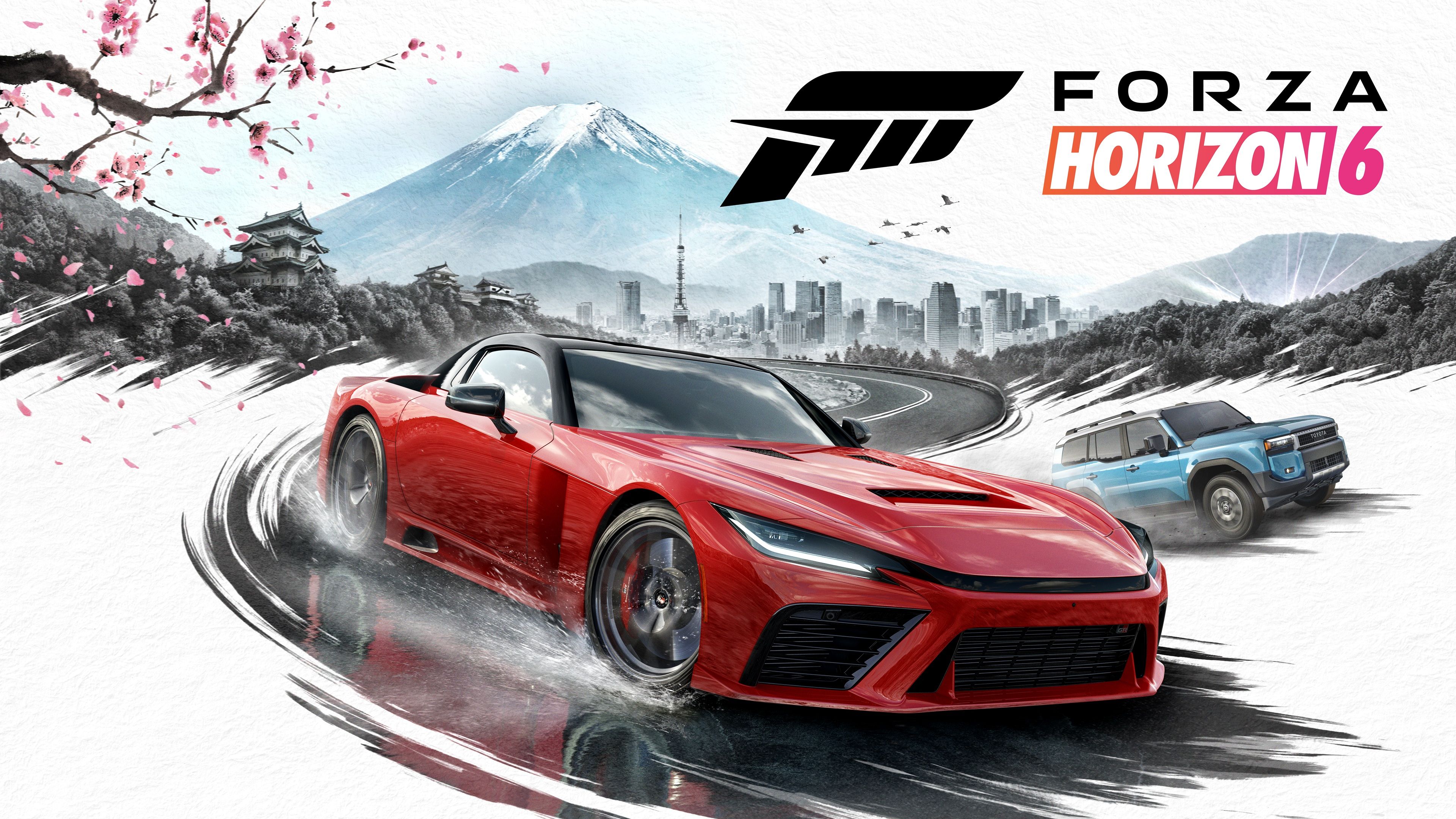
Forza Horizon 6 Japan key art with Tokyo, Mount Fuji, Toyota GR GT Prototype, and Toyota Land Cruiser

Forza Horizon 6 Guides: Settings, Multiplayer & FAQ

If you want to know how to play Forza Horizon 6, start here. This FH6 help hub answers the most common platform, multiplayer, settings, cars, and progression questions, then points to the full guide when a topic needs more detail.

Quick answers: FH6 is playable on Xbox Series X|S and PC now, with PS5 planned later in 2026. It supports crossplay and cross-save. It does not support local split screen. It is set in Japan, with Tokyo City as a major area.

Updated June 25, 2026 Settings, multiplayer, FAQ FAQPage schema

Key Takeaways

  • Xbox Series X|S and PC players can play FH6 now.
  • The PS5 version is planned later in 2026.
  • FH6 supports crossplay and cross-save across supported PC and console versions.
  • Local split screen and couch co-op are not supported.
  • Wheel support depends on the device, platform, drivers, firmware, and force feedback setup.

FH6 Guide Board

Pick the topic that matches the question, then open the full guide.

5 guide topics

Multiplayer

Crossplay, cross-save, online co-op, and local-play expectations.
2

Progression

Credits, rare cars, reward paths, Wheelspins, and garage planning.

1

Which FH6 Question Are You Answering?

Use this when a quick FAQ answer is not enough and the topic needs context.

Wheel or control setup

Use the wheel setup topic before changing advanced controls or troubleshooting input issues.

Driving challenge help

Use the drift topic for car control, route choice, and scoring basics.

FH6 Help Matrix

Compact comparison for the current answer, who it helps, and the next check.

5 topics
Guide Topic Covers Current Answer Best For Next Step
Crossplay and Cross-Save Multiplayer Xbox Series X|S, PC through the Xbox app, Steam, and PS5 once that version is live. Crossplay works between Xbox and PC now, with PS5 support planned for the later PS5 release. Players checking platform compatibility, invites, Convoys, and cross-save. Open the full crossplay guide before moving accounts or buying on a second platform.
Split Screen and Local Co-op Local play Same-screen play, couch co-op, and online alternatives. FH6 does not support local split screen or two-player local co-op. Readers checking whether one console, one PC, or one TV can support two local players. Use online co-op, Convoys, Car Meets, Time Attack, Drag Meets, and Horizon Multiplayer instead.
Steering Wheel Setup Controls Supported wheels, firmware, drivers, force feedback, and advanced controls. Start with the default wheel profile, Simulation steering, clean deadzones, and measured force feedback changes. Logitech, Thrustmaster, Fanatec, MOZA, HORI, Turtle Beach, Nacon, and Mad Catz users. Update wheel firmware and drivers before changing steering, force feedback, or deadzone values.
Backstage Passes and Reward Cars Progression Rare cars, Festival Playlist rewards, Aftermarket Cars, and Auction House alternatives. Backstage Passes are not a verified FH6 currency right now. Rare cars come from reward systems instead. Players searching old FH5 Backstage terms while trying to collect rare FH6 cars. Check the Festival Playlist, Series History Rewards, Aftermarket Cars, and Auction House.
How to Drift Driving Drift controls, tuning basics, car choice, score routes, and skill chains. Use a rear-wheel-drive car, start the slide, countersteer, and feather the throttle. Players preparing for drift zones, touge routes, seasonal challenges, and skill chains. Start with a controllable RWD build before chasing higher-angle or high-speed score routes.

Multiplayer and Crossplay

Forza Horizon 6 is built around online multiplayer, Convoys, shared open-world activities, Car Meets, Drag Meets, Time Attack, and classic Horizon modes. Crossplay lets players race with friends across Xbox, PC, Steam, and PS5 once that version is live.

For setup help, read the full Forza Horizon 6 crossplay guide. For couch co-op questions, check the FH6 split screen guide before buying a second controller.

Controls and Wheel Setup

FH6 supports controller, keyboard, and many racing wheels, but wheel quality depends on the model, platform, drivers, and force feedback settings. Update wheel firmware first, then tune one setting at a time.

For recommended settings and troubleshooting, use the Forza Horizon 6 steering wheel setup guide.

Cars, Credits and Progression

Cars can be earned through the Autoshow, Wheelspins, rewards, the Auction House, Collection Journal progress, seasonal events, Barn Finds, DLC, and special unlocks. For faster garage progress, focus on reward loops instead of buying every car early.

Start with the FH6 cars hub, then use the Backstage Passes guide and Skill Points guide to speed up progression. For sideways setups, read the FH6 drift guide.

Need More FH6 Help?

For a faster start, cleaner progression, or help building a garage, the Forza Horizon 6 services page keeps commercial options separate from the wiki guides.

Frequently Asked Questions

What platforms is Forza Horizon 6 on?

Forza Horizon 6 is on Xbox Series X|S and PC through the Xbox app, Microsoft Store, and Steam, with PlayStation 5 planned later in 2026. Game Pass Ultimate players can also use Xbox Cloud Gaming where supported.

Is Forza Horizon 6 on PS5?

Yes, Forza Horizon 6 is coming to PS5 later in 2026. It is not the same purchase as Xbox or PC, so check the PlayStation Store version before buying.

Is Forza Horizon 6 crossplay?

Yes, Forza Horizon 6 supports crossplay across Xbox, PC, Steam, and PS5 once the PS5 version is available.

Does Forza Horizon 6 have split screen?

No, Forza Horizon 6 does not support local split screen or couch co-op. Use online multiplayer instead.

How many cars are in Forza Horizon 6?

Forza describes FH6 as having over 550 real-world cars, and the roster grows with updates. Check the FH6 cars hub for the latest tracked list.

Where is Forza Horizon 6 set?

Forza Horizon 6 is set in Japan, with Tokyo City, mountain routes, car meet areas, and festival locations across the map.

Is Forza Horizon 6 on Game Pass?

Yes, the Forza Horizon 6 Standard Edition is included with Game Pass Ultimate and PC Game Pass. Premium content and upgrades are sold separately.

Does Forza Horizon 6 support steering wheels?

Yes, FH6 supports many Logitech, Thrustmaster, Fanatec, and other wheel setups. Check supported devices and update wheel drivers or firmware before tuning advanced settings.

How do you get more cars fast in FH6?

The fastest ways to get more cars in FH6 are Wheelspins, rewards, seasonal events, the Auction House, Skill Points, and special progression unlocks.

Your Trusted Gaming Partner Since 2015

Order with confidence - DamnModz has helped gamers safely buy services, accounts, and unlocks since 2015.

It is quick and simple - find the right product for your favorite game, complete secure checkout, and our team gets your order moving.

2015 Established
11 Years
3.7k Reviews
100k+ Orders
0
    0
    Your Cart
    Your cart is emptyReturn to Shop