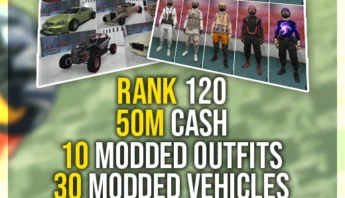
Try: bot lobby, unlock all, accounts.


Need more GTA Online cash without spending hours building your balance? Choose the cash package you want, confirm your platform and game version, then place the order with the required account details.
Once your order is reviewed, the selected GTA Online cash amount is added to the account connected to your purchase. The process is kept simple: pick the amount, submit the right details, and watch your order messages for updates.
| Cash Package | The GTA Online cash amount selected from the options on this page. |
|---|---|
| Account Service | The cash boost is applied to the account details submitted with your order. |
| Platform Selection | Choose the platform and GTA Online version that match the account you want serviced. |
| Order Updates | Updates are sent through your order messages or email if anything else is needed. |
After checkout, your order is reviewed using the details provided. Delivery timing can vary by cash package, platform, GTA Online version, account access, and the current order queue. Any important updates will be sent through the contact details connected to your order.
Your order details are reviewed, then the selected GTA Online cash amount is added to the account submitted at checkout.
Yes. Use the product options on this page to choose the available cash package you want before checkout.
Check the selected cash package, platform, GTA Online version, and account details before placing the order.
Select the platform, game version, package, and product options shown on the page.
Check the selected package, price, and account details before placing the order.
Use the confirmation details and any product-specific order notes after checkout.
Watch your order messages or email for updates tied to the selected product.


Order with confidence - DamnModz has helped gamers safely buy services, accounts, and unlocks since 2015.
It is quick and simple - find the right product for your favorite game, complete secure checkout, and our team gets your order moving.