How To Get System Override Skin In BF6?
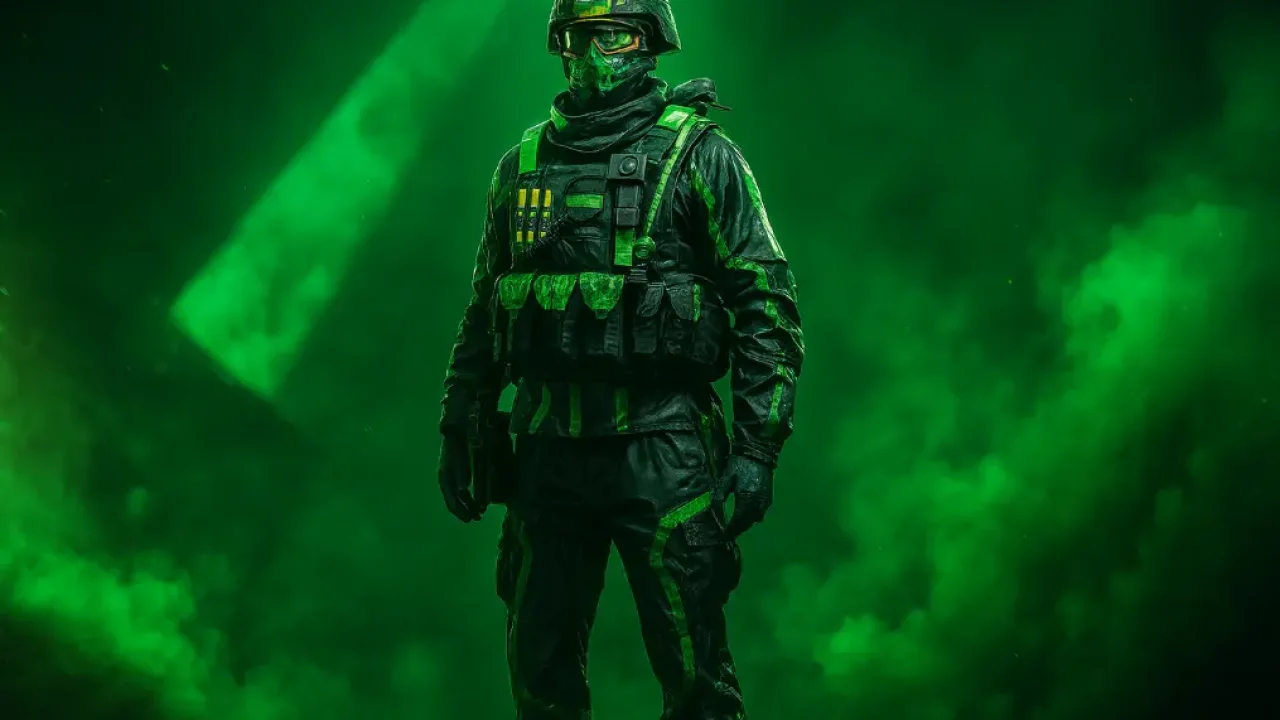
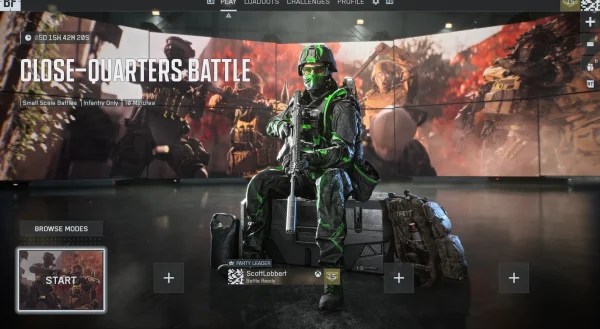
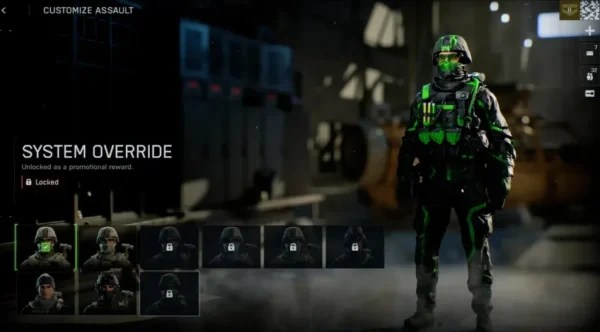
A lot of System Override Skin posts make this look like a normal BF6 cosmetic unlock. That is the main problem. Players see the skin in screenshots, then waste time checking normal gameplay menus, the standard store route, or random reseller pages.
This affects anyone trying to get the skin after launch, especially if you are landing on old 2025 promo posts that still show up in search results.
BF6 System Override Skin Assumptions
Current Route
The current verified path we could confirm is a qualifying Razer Blade gift with purchase on RazerStore.
Root Cause
The live official pages we checked do not show a normal in-game path for System Override Skin.
Dead Ends
Older featured-product, Cyber Weekend, and Intel bundle routes all have listed cutoff dates in the past.
BF6 System Override Skin Answer
Direct Answer: The System Override Skin in BF6 is not a standard gameplay unlock. As of March 8, 2026, the current verified route we could confirm is Razer’s qualifying Razer Blade gift with purchase offer on RazerStore.
Why This Matters: Razer’s Battlefield 6 FAQ says the skin is not available anywhere else. That is why many bad guides go wrong. They treat System Override like a normal gameplay cosmetic, a standard store item, or a general retailer bonus.
Most players are looking in the wrong place. The verified issue is not a hidden BF6 unlock. It is an official Razer promo requirement.
BF6 System Override Skin Forks
- If you are trying to unlock it through matches, general progression, or a standard BF6 store listing: go to BF6 System Override Skin Dead Ends.
- If your purchase is on RazerStore and tied to a live qualifying Razer Blade offer: go to BF6 System Override Skin Eligibility.
- If you are following an older 2025 accessory or holiday promo post: go to BF6 System Override Skin Dead Ends.
- If you already bought through the live qualifying offer and only need the last part of the process: go to BF6 System Override Skin Claiming.
BF6 System Override Skin Eligibility
Type: Root Cause Check.
This section fixes the most common failure point. Buyers see the skin image, but never verify that the product, store, and offer window actually match the live official terms.
- Open the official Razer promotions terms page.
- Find the entry named Razer Blade 18 Battlefield 6 Gift with Purchase.
- Confirm the entry says the offer is valid with the purchase of qualifying Razer Blades.
- Confirm the bundle includes Battlefield 6 System Override Soldier Skin.
- Confirm the purchase is on RazerStore and still inside the listed live offer window.
How To Undo It
- If your route does not match that entry, do not buy expecting the skin.
- Return to the live terms page and re-check for a currently active official route before spending money.
BF6 System Override Skin Claiming
Type: Claim Flow.
Once you have matched the live offer, keep the process narrow. The goal is to preserve proof of eligibility and follow the official redemption flow attached to the offer you actually used.
- Buy through the live qualifying RazerStore offer.
- Save the order confirmation and the offer page you used at checkout.
- Follow the redemption instructions attached to that eligible offer or purchase communication.
- Redeem the reward on the account flow named in the official instructions.
- Launch BF6 and check whether the skin is now selectable where you change character appearance.
How To Undo It
- Equip a different soldier skin if you do not want to use System Override.
- Keep your order proof if the reward does not appear and you need official support.
BF6 System Override Skin Dead Ends
Type: Diagnosis.
This section reduces wasted time. These are the routes that commonly show up in search, but their listed windows have already passed or they do not match the live official path we could confirm.
- Do not start with normal progression, a standard BF6 store search, or generic gameplay unlock lists. The live Razer FAQ frames System Override as a limited-time Razer-exclusive skin.
- If your purchase came from Amazon or another retailer, do not assume it counts. The current verified Razer Blade offer is RazerStore only.
- Treat the large Battlefield 6 featured-product campaign as expired unless Razer republishes it. Its live campaign page lists January 4, 2026 as the end date and January 12, 2026 as the redemption deadline.
- Treat the Cyber Weekend Viper V3 Pro and DeathAdder V4 Pro reward route as expired. The live terms page lists December 7, 2025 as the cutoff.
- Treat the Intel Holiday Bundle route as expired. The live terms page lists January 31, 2026 as the cutoff.
How To Undo It
- Return to the live Razer terms page.
- Ignore cached search snippets and third-party code listings unless Razer itself lists the route as live.
Razer Blade Promotion
This is the cleanest current product route we could confirm for the article. It does not mean every Blade qualifies. The live terms say qualifying Razer Blades, so re-check the active offer page before purchase.
Qualifying Razer Blades on RazerStore are the current verified path we could confirm for the BF6 System Override Skin.
Re-check the live terms page before purchase. Razer’s public terms also say promotions can be amended or withdrawn, and stock can run out.
BF6 System Override Skin FAQs
No. The live Razer Battlefield 6 FAQ describes it as a limited-time Razer-exclusive skin, not a normal gameplay reward.
We did not find a verified live official page showing it as a normal BF6 store item. The live official pages we checked point to Razer promotions instead.
No. Razer’s Battlefield 6 FAQ says the skin is not available anywhere else.
The current verified Razer Blade offer says RazerStore only. Do not assume another retailer qualifies unless a live official Razer page says so.
As of March 8, 2026, the current verified route we could confirm is the qualifying Razer Blade gift with purchase offer on RazerStore.
Yes. Razer’s Battlefield 6 campaign page listed an earlier featured-product promotion, but the live campaign terms show that window ended on January 4, 2026.
Yes. Razer’s terms page listed the Intel Holiday Bundle with the skin, but that route ended on January 31, 2026.
Keep your order proof, re-open the exact official offer you used, and contact Razer Support with the matching purchase details.